
Microsoft Project Online will be fully retired on September 30, 2026. For enterprise PMOs, the real risk is not losing the tool - it is losing the governance structure your PMO depends on. This article explains what is actually happening, where the gaps are, and what to look for in a replacement.
If your organization runs Microsoft Project Online, there is a hard deadline on your calendar: September 30, 2026.
After that date, Project Online is gone. Your projects, your historical data, your reporting structures - no longer accessible.
If you're running Project Server on-premise, your timeline is less defined - the strategic decision remains the same.
But the real risk is not losing the tool. It's losing the governance structure your PMO depends on.
Microsoft's recommended path forward is Planner - positioned as the new home for work management in Microsoft 365. For teams running lightweight task coordination, that transition works.
For enterprise PMOs, it doesn't.
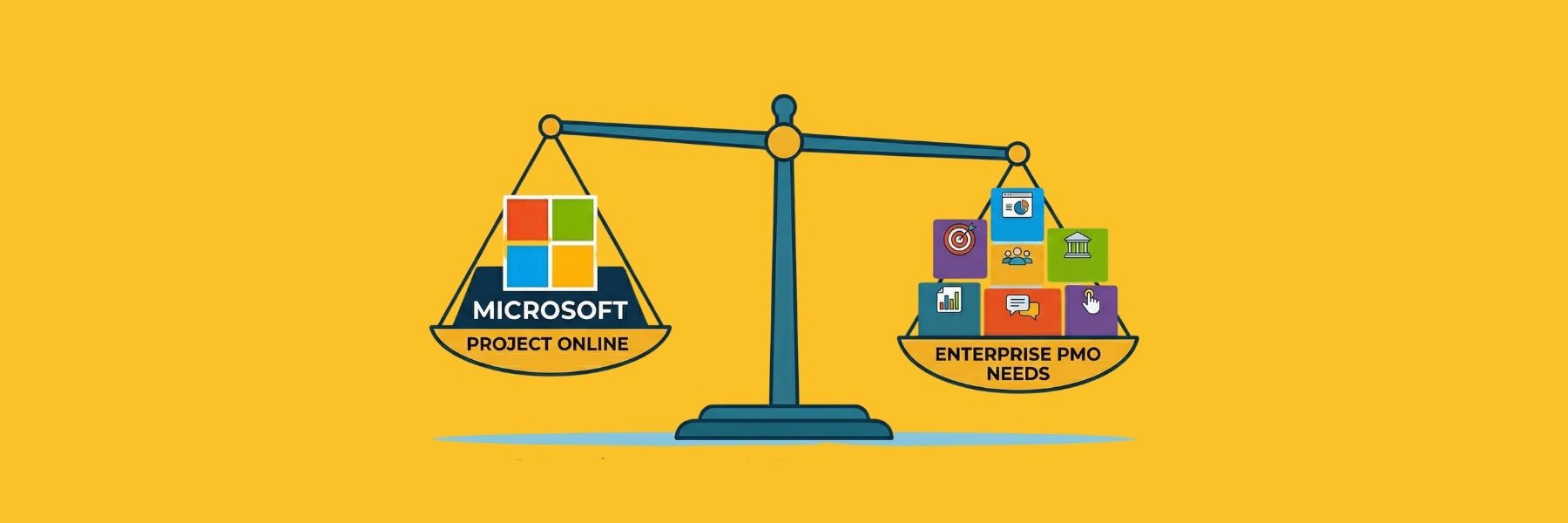
Because what's being replaced is not just a tool - it's a system that supported portfolio visibility, financial control, resource planning, and decision governance.
This article explains what is actually happening, where the gaps are, and what to look for if you need a true replacement - not a downgrade.
What is actually happening - and when
Two dates define your window - and the first one is closer than most teams realize.
| Date | What it means for your organization |
|---|---|
| August 2025 | Project for the Web retired. All users redirected to Microsoft Planner. |
| October 2025 | End of sale for new Project Online licenses. No new customers can be onboarded. |
| April 2026 | Existing customers can no longer create new tenants in Project Online. |
| September 30, 2026 | Project Online fully retired. No access to projects, data, or reporting. Permanent. |
The April 2026 tenant creation deadline is the one most organizations underestimate. It shortens the window to prepare, pilot, and transition in a controlled way. For PMOs managing complex, multi-year programme environments, delays quickly compress timelines - turning what should be a structured transition into a rushed one.
For complex PMOs, migration is not a technical switch - it is an operational transition that requires planning, validation, and controlled rollout.
A note for organizations running Project Server on-premise: the September 2026 deadline applies specifically to Project Online (the cloud product). If your PMO is built on Project Server, you are not facing the same data loss cliff - but you are facing the same strategic question. Microsoft's investment is consolidating around Planner and the Microsoft 365 ecosystem. Project Server Subscription Edition remains available, but it is a maintenance-mode product, not a development roadmap. The governance capabilities it provided - portfolio management, enterprise resource management, advanced scheduling - are not being carried forward into Planner. The migration decision may be less urgent, but the destination problem is identical.
What Project Online actually did for your PMO
Before evaluating replacements, it is worth being specific about what you are actually replacing. Project Online - and its on-premise counterpart, Project Server - were not simply Gantt chart tools. For mature PMOs, they became the structural backbone of several critical governance functions:
- Portfolio visibility: a consolidated view of active initiatives, their status, resource demand, and financial performance across the organization
- Financial controls: budget tracking, forecast vs. actual monitoring, and cost field management integrated with project delivery
- Resource management: cross-project allocation, workload visibility, and capacity planning against real availability
- Stage-gate and approval workflows: structured progression through lifecycle phases with documented gate decisions
- Executive reporting: aggregated dashboards that leadership could rely on without manual consolidation before every review
- Audit trail: traceable decision history, version-controlled plans, and documented approval records
When organizations built PMO operating models on these capabilities - and many did, over years of configuration and process refinement - the retirement of Project Online is far more than a licensing change. It is a platform decision that touches governance, accountability, and strategic oversight.
In many organizations, Project Online was not just a tool - it was the operating model of the PMO.

Why Planner is not a like-for-like replacement for enterprise PMOs
Microsoft Planner is a well-designed tool for what it was built to do: team-level task coordination inside Microsoft 365. It is effective for distributed teams managing day-to-day work, sprint tracking, and lightweight project coordination. For those use cases, the transition from Project Online is genuinely straightforward.
The problem arises when organizations assume Planner Premium - Microsoft's enhanced tier - covers the portfolio governance and financial control capabilities that Project Online supported. It does not. Not natively. Replacing it with a task coordination layer leaves that operating model without a supporting system.
The gap is not theoretical. It directly affects how projects are governed, funded, and reported.
The gap becomes clearer when comparing what Project Online enabled at PMO level with what Planner provides natively. The comparison below focuses on capabilities that matter at PMO level, not team-level task management.
| What Project Online gave your PMO | What Planner lacks natively |
|---|---|
| Stage-gate intake and lifecycle governance | No native stage-gate, intake forms, or configurable gate criteria |
| Portfolio financial planning and budget control | No cost fields or budget management - must rebuild in Power Apps |
| Resource leveling and capacity modeling | No portfolio-wide capacity planning or scenario modeling |
| Executive portfolio dashboards | No native portfolio views - requires Power BI configuration |
| Timesheet and actuals tracking | No timesheet functionality |
| Audit trail and version-controlled history | Limited traceability; no version-controlled snapshots |
| Advanced scheduling (baselines, critical path) | Hard limits: 3,000 tasks, 10 custom fields, 20 dependencies |
| On-premise or private cloud deployment | Cloud-only (Microsoft 365 ecosystem) |
Each of these gaps forces a workaround. Over time, these workarounds accumulate into a fragmented operating model rather than a controlled system of record.
The architectural reason matters here. Planner is built for team-level work coordination. Portfolio governance in Planner is not a native feature - it is a configuration layer built on top of Power BI, Power Automate, and Power Apps. That means organizations seeking to replicate their Project Online PMO environment in Planner are not migrating - they are rebuilding. The cost, fragility, and ongoing maintenance of that approach are rarely visible in the initial licensing comparison.
In practice, when governance is not native to the platform, organizations compensate through manual consolidation, spreadsheets, and Power Platform configuration - reintroducing the same fragmentation they were trying to escape.
For PMOs managing complex programmes with financial accountability, multi-site resource constraints, and board-level reporting obligations, that is not an acceptable trade-off.
Microsoft Project Online replacement: what enterprise PMOs actually need
Before selecting a replacement for Microsoft Project Online, it is important to recognize that not all project management tools are designed to support PMO-level governance.
Many platforms focus on task execution or team collaboration. Fewer are built to support structured decision-making, financial oversight, and cross-portfolio visibility.
For enterprise PMOs, a viable replacement must cover more than project tracking. It must support the operational model that Project Online enabled - and in many cases, extend it. This requires evaluating platforms not as tools, but as extensions of the PMO operating model.
Five criteria for evaluating a genuine Project Online replacement
If Planner does not cover your requirements, you are evaluating a third-party alternative - and the market offers a range of options with different strengths across governance depth, financial controls, and deployment flexibility. Before assessing any of them, clarify your requirements against these five criteria:

1. Governance depth
Does the platform support structured lifecycle management (Stage-Gate governance) natively - configurable phases, gate criteria, documented decisions, and audit trails - or does governance require external configuration? For PMOs managing regulated environments or board-level accountability, governance must be embedded in the platform, not bolted on.
2. Financial controls
Can the platform track budget, forecast, and actuals at both project and portfolio level? Does it support business case validation, funding checkpoints, and investment comparison across initiatives? Financial visibility should not require a separate BI layer to function.
3. Resource and capacity planning
Does the platform provide cross-portfolio capacity visibility, role- and skill-based allocation, overload detection, and scenario modeling before commitments are made? Reactive resource management - discovering conflicts after approvals - is one of the most common and costly PMO failures.
4. Deployment flexibility
For manufacturing and regulated organizations with strict data governance requirements, cloud-only platforms create real barriers. Does the alternative support on-premise, private cloud, or hybrid deployment? Can it operate within your IT security and data sovereignty requirements?
For organizations migrating from Project Server specifically, this is not just a preference - it is an operational continuity question. Years of on-premise integrations, workflows, and governance configurations cannot simply be transplanted into a cloud-only environment.
5. Migration support
What does the transition look like in practice? How long does implementation take for a PMO of your scale? Is there sector-specific experience with your kind of programme environment? A platform that requires 18 months of configuration to approximate what you had is not a migration - it is a rebuild.
How Cerri Project compares
Cerri Project is designed to replace the governance layer that Project Online and Project Server provided - without forcing organizations into a fragmented rebuild. This is the critical distinction: not replacing project tracking, but preserving structured decision-making and control.
It allows organizations to transition without rebuilding their governance model from scratch - avoiding the fragmentation that often emerges in Planner-based setups. Instead of reconstructing portfolio management across multiple tools, Cerri Project delivers lifecycle governance, financial control, resource and capacity planning, and portfolio visibility natively within a single platform.
This matters because governance is not something that should be configured after the fact - it should be embedded in how projects are defined, evaluated, and executed.

| Capability | Cerri Project |
|---|---|
| Stage-Gate governance | Configurable lifecycle phases, gate criteria, Go/Kill/Hold/Recycle decision enforcement, and full audit trail - native, without Power Platform configuration. |
| Portfolio management | Strategic prioritization scoring, structured intake, stop/defer decisions, and cross-portfolio investment oversight built into the platform. |
| CapEx and investment control | Business case validation, funding checkpoints, approved vs. forecast vs. actual tracking, and consolidated investment exposure visibility. |
| Resource and capacity planning | Role- and skill-based allocation, scenario modeling, overload detection, and capacity validation before commitments are made. |
| Executive reporting | Configurable dashboards, real-time portfolio aggregation, and historical snapshots - no manual preparation before leadership reviews. |
| Deployment flexibility | On-premise, private cloud, or hybrid - full data sovereignty for regulated and multi-jurisdiction environments. |
Cerri Project does not require organizations to leave Microsoft 365 behind. Teams can continue using Teams for communication, SharePoint for document management, and Power BI for additional analytics if they choose - while Cerri Project provides the structured governance layer that Planner cannot support natively.
What to do now
The September 2026 deadline is closer than it appears once you account for evaluation, procurement, implementation, and data migration.
For PMOs operating complex programme environments, this is not a simple tool replacement. It is a transition that affects governance, financial control, and portfolio visibility.
Three practical steps to take now, before timelines compress:
- Audit your current Project Online usage - Identify which capabilities your PMO actually depends on: governance, financial control, portfolio reporting, resource planning.
- Map the Planner gap - Determine which of those capabilities would need to be rebuilt using Power Platform tools. That defines your real migration scope.
- Evaluate purpose-built alternatives early - Assess platforms designed for structured PMO governance - not just task coordination - before timelines limit your options.
The longer you wait, the greater the risk of making this decision under pressure rather than control.
If you need to understand what a structured alternative looks like in practice, explore how Cerri Project compares to Microsoft Project Online and Planner.
How useful was this article?
Get enterprise PM insights, no noise
A bi-monthly briefing on Stage-Gate governance, portfolio management, and enterprise delivery best practices.
No spam. Unsubscribe anytime.
Prefer video? Watch on YouTube
Walkthroughs, Stage-Gate demos, and manufacturing PM best practices on our channel.